Your guests’ vacation shouldn’t start in a line.
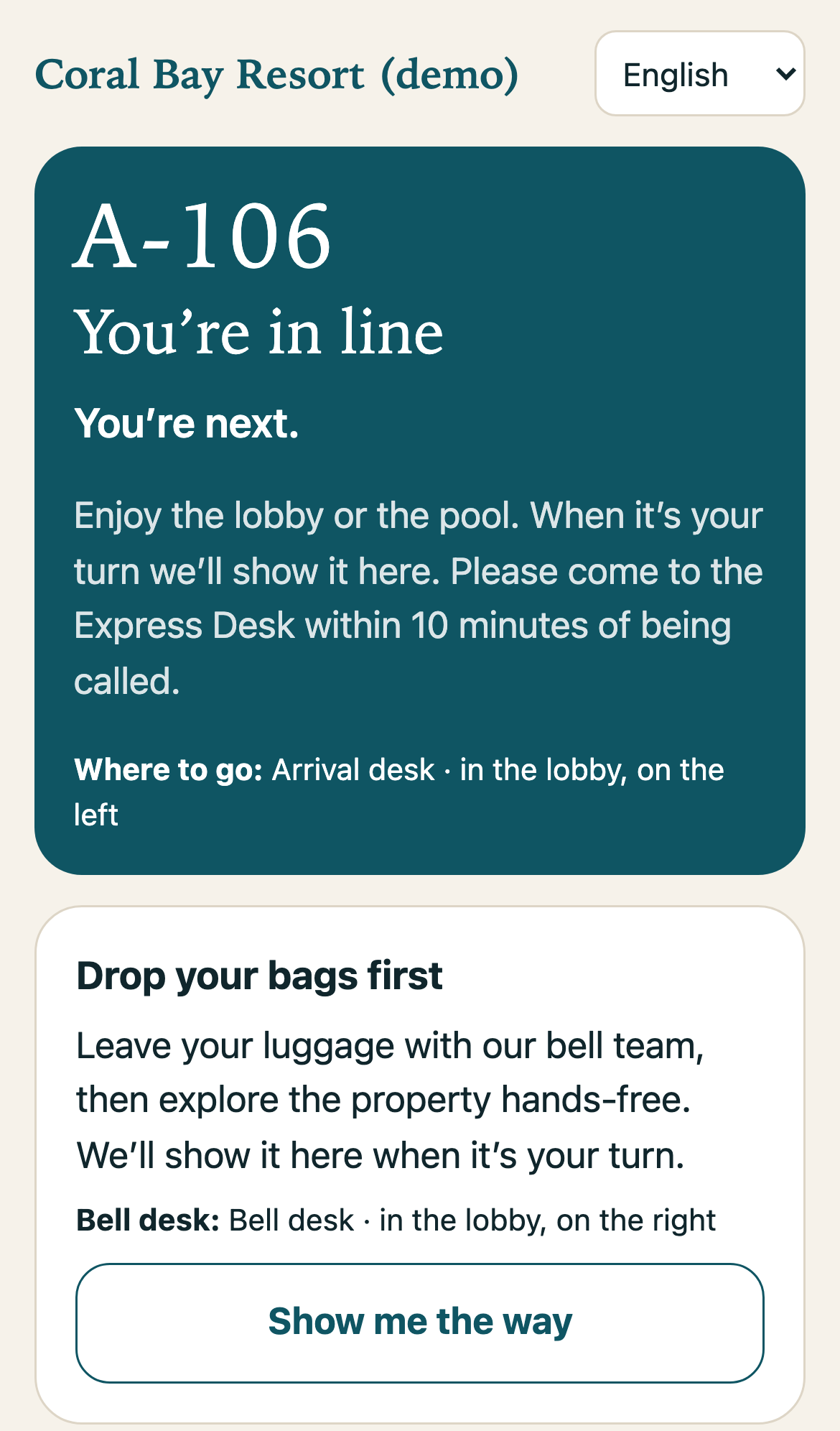
Guests scan a QR code in the lobby and their place in line is held. They drop their bags with the bell team, explore the resort, and their phone tells them when it’s their turn.
No app. No account. No card. In English, 日本語, 한국어, 繁體中文, 简体中文 and Español.
How it works
Scan and hold your place
A QR code in the lobby opens the hotel’s page in the guest’s own language. Name and party size, and they’re in line.
Drop bags, explore
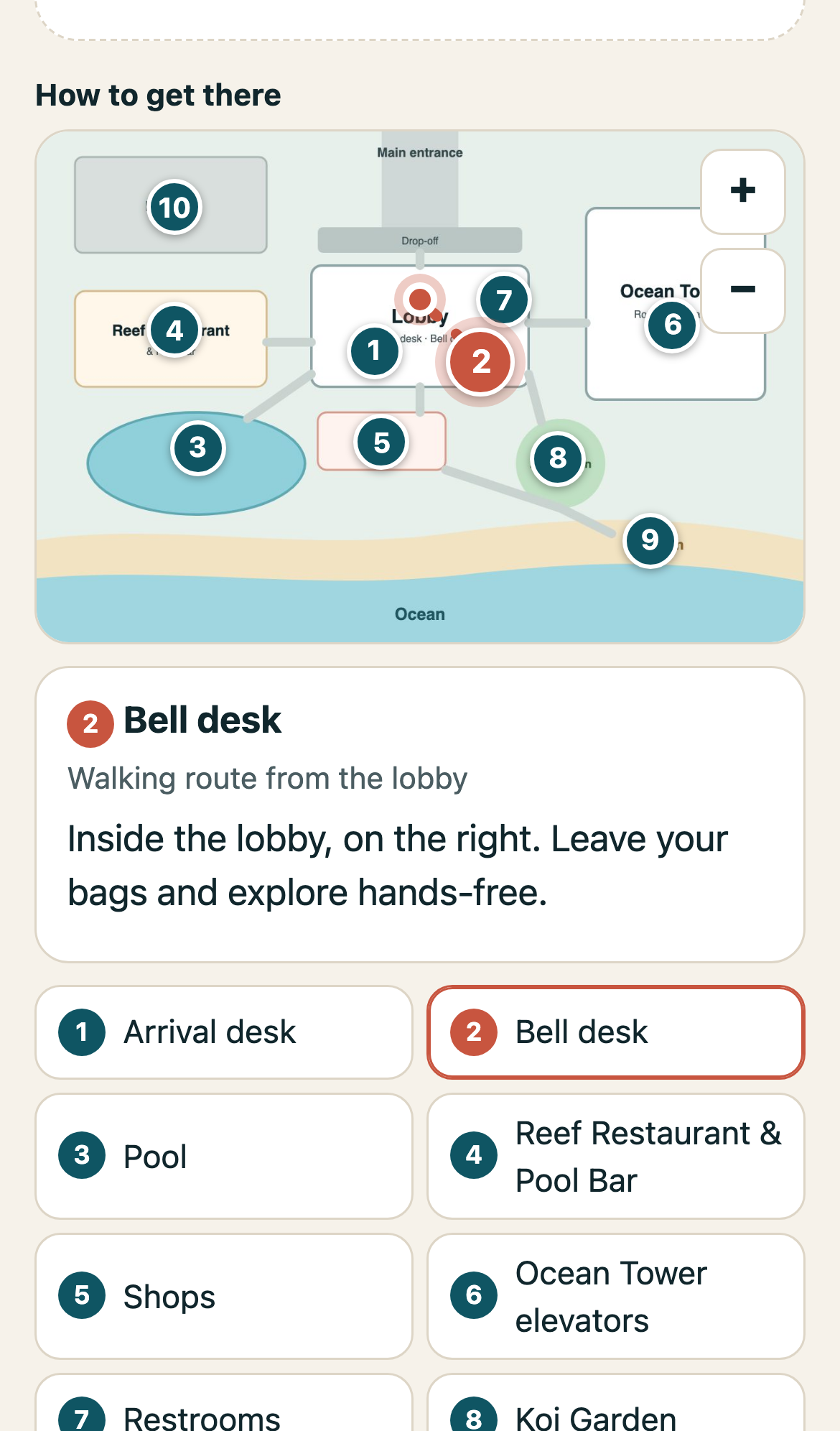
The page shows where the bell desk is, with a walking route on the hotel map. Pool, restaurant, shops: the map shows the way to each.
“It’s your turn”
One team member with an iPad calls guests in order. The guest’s phone chimes and shows where to go.
Try the demo
Scan this with your phone camera to join the line at Coral Bay Resort, our sample hotel. Switch languages from the menu at the top, tap “Show me the way” for the map, and leave the line when you’re done.
The line is run from an iPad at the desk. Ask us for a live walkthrough of the iPad side.